


Enterprise Workflow Automation in 2026: The Complete AI-Native Guide for Large Organizations

TABLE OF CONTENT
What Is Enterprise Workflow Automation?
Classic vs. AI-Native Workflow Automation: What Changed and Why It Matters
10 High-ROI Enterprise Workflow Automation Use Cases by Industry
The 4 Layers of an AI-Native Workflow Automation Stack
ROI of Enterprise Workflow Automation: What Real Deployments Produce
How to Start: A 4-Week Pilot Framework
Conclusion
More than half of enterprise employees lose over two hours a day to tasks that follow a predictable pattern: collect a document, extract some information, route it somewhere, wait for approval, enter it in a system. That is not complexity. That is friction waiting to be automated. Classic enterprise workflow automation tools have handled the structured, rule-based half of this problem for years.
The other half – unstructured documents, judgment calls, cross-system decisions – has stayed manual. Not anymore. This guide covers what AI-native workflow automation looks like in 2026, which use cases produce the fastest ROI, and how to start without betting the whole organization on a six-month implementation.
What Is Enterprise Workflow Automation?
Enterprise workflow automation is the orchestration of multi-step business processes across teams, systems, and data sources with minimal manual intervention at each step. It ranges from simple approval routing to coordinating end-to-end processes across ERP, CRM, document management, and communication systems simultaneously.
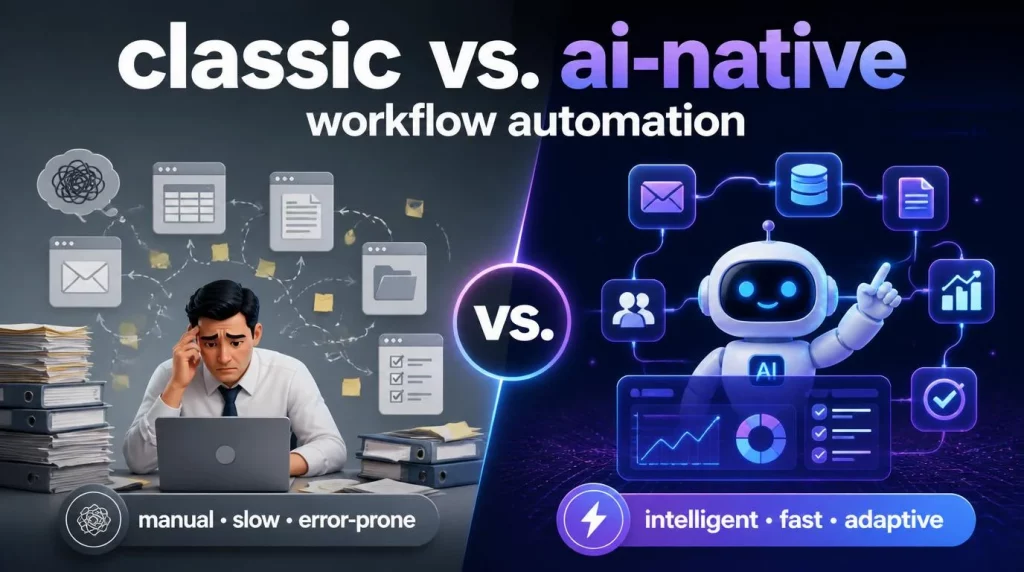
Classic automation – BPM and RPA – handles triggers with deterministic responses. Invoice arrives; route it based on amount and vendor. Known input, known rule, known output.
This works for the 60% of enterprise work that is structured and predictable. The remaining 40% involves inputs that do not fit the template: the invoice that has a discrepancy and a note in three languages, the support ticket that is simultaneously a billing complaint and a technical request, the contract clause that has no precedent in the ruleset.
That is where AI-native automation picks up.
What Triggers an Enterprise Workflow
- Form submission or document upload – invoice, loan application, insurance claim
- Email with specific content classification – complaint, renewal, escalation request
- System event – ERP status change, analytics threshold breach, approval timeout
- Calendar trigger – end-of-month batch processing, regulatory reporting cycle
- API call from a connected application or IoT sensor
Classic vs. AI-Native Workflow Automation: What Changed and Why It Matters
Understanding the boundary between classic and AI-native automation is the foundation for making sensible tooling and investment decisions. Most enterprise environments need both.
|
Dimension |
Classic Automation (BPM / RPA) |
AI-Native Automation (Agents + LLMs) |
| Input type | Structured, predictable (fixed fields, templates) | Unstructured (PDFs, emails, voice, scanned docs) |
| Decision logic | Rule-based, deterministic | Reasoning-based, adaptive to context |
| Exception handling | Escalates to human | LLM reasons through novel inputs, routes if uncertain |
| Integration depth | Point-to-point connectors | Multi-system orchestration with shared context |
| Maintenance cost | High when rules change | Lower – agent reprompted or retrained, not recoded |
| Compliance logging | Depends on tool configuration | Built-in audit trail in every agent action |
| Setup time | Weeks to months for complex processes | 30-min prototype with pre-built templates |
McKinsey’s Global Institute research shows that 60% of current business roles have at least 30% of tasks that are technically automatable with existing technology. AI-native automation extends coverage into the unstructured tasks that rule-based systems cannot handle.
Deloitte’s Intelligent Automation Survey 2025 found that organizations combining RPA with AI agents reduced operational costs by 50–70% on automated process categories.
10 High-ROI Enterprise Workflow Automation Use Cases by Industry
These use cases are in production deployment across regulated industries and consistently deliver measurable ROI within 90 days of launch. They are drawn from real deployments, not theoretical applications.
Financial Services and Insurance
- KYC onboarding: Document extraction, identity verification, AML screening – 70–85% reduction in manual processing time on well-structured customer profiles
- Loan application processing: Credit data aggregation, scoring inputs, approval routing – full automation from submission to credit committee decision for standard applications
- Claims first notice of loss: Intake classification, coverage verification, settlement estimate – average handling time down from 9 days to under 2 in production deployments
Healthcare
- Patient intake and triage: Intake form processing, symptom classification, care team routing – reduces administrative backlog by 60% in outpatient settings
- Clinical documentation: Automated ICD-10 coding, discharge summary drafting, prior authorization request generation
Manufacturing and Logistics
- Purchase order processing: Supplier catalog matching, approval routing, ERP entry – fully automated for standard PO types, human review triggered only on exceptions
- Supplier onboarding: Document collection, compliance verification, ERP registration – from 3 weeks average to 3 days
Retail, HR, and IT
- WISMO resolution: AI agent handles 80%+ of ‘where is my order’ inquiries without human involvement, escalating only to genuine exceptions
- Employee onboarding: Account provisioning, equipment requests, document collection, orientation scheduling – completed within first-day SLA
- IT ticket routing and resolution: Intent classification, knowledge base resolution attempt, tier-2 escalation – 55% of tickets resolved without human touch
| AHT Tech‘s AI Workflow Automation service deploys AI-native process automation across BFSI, healthcare, manufacturing, and retail with 500+ pre-built agent templates and compliance-first architecture. |
The 4 Layers of an AI-Native Workflow Automation Stack
Understanding the technology stack behind production-grade intelligent automation services helps you evaluate vendors and make architecture decisions that hold up at scale. AI-native enterprise automation has four distinct layers.
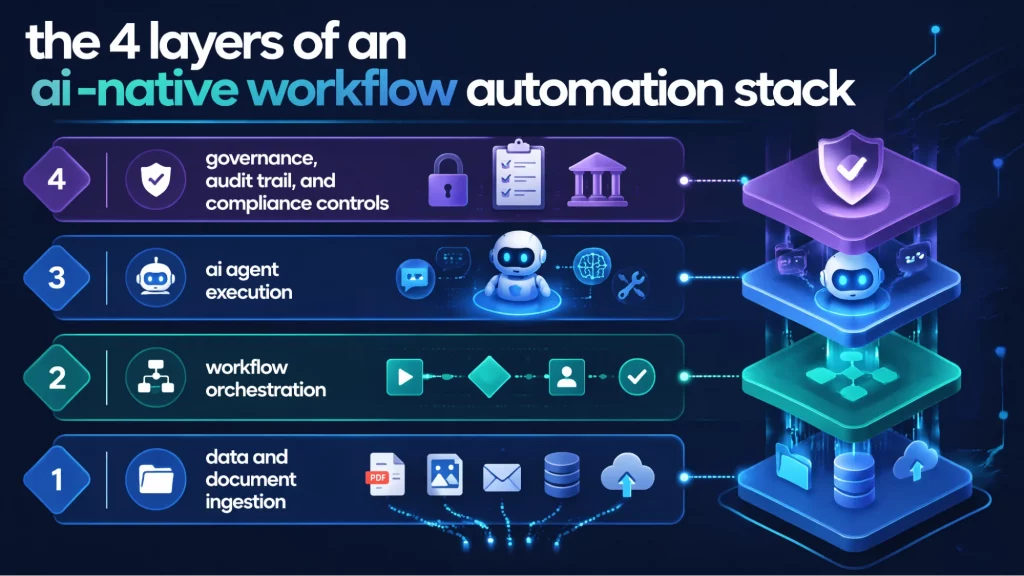
Layer 1: Data and Document Ingestion
Every workflow starts with an input. The ingestion layer handles structured forms, unstructured PDFs, emails, scanned images, and API payloads. It uses OCR for scanned documents, NLP for unstructured text, and structured extraction to normalize inputs into a format the orchestration layer can act on. Quality at this layer determines quality everywhere downstream.
Layer 2: Workflow Orchestration
The orchestration layer defines the process flow: trigger conditions, action sequences, decision branching, exception routes, and SLA timers. In AI-native systems, this layer also handles dynamic routing – modifying workflow paths based on what the ingestion and agent layers learned from the input. This is where BPM logic and AI reasoning meet.
Layer 3: AI Agent Execution
The agent layer handles tasks that require reasoning rather than rules. LLM-powered agents read documents, classify intent, extract structured fields, draft outputs, make decisions within defined parameters, and call external tools or APIs. Multi-agent pipelines coordinate specialized agents for complex multi-step processes.
Layer 4: Governance, Audit Trail, and Compliance Controls
Every action the system takes must be logged, attributable, and auditable. This layer captures what data was processed, what decision was made, which agent or rule made it, and when. For GDPR, HIPAA, SOC 2, and Vietnam AI Law 134/2025/QH15 environments, this log is not optional – it is the evidence required for compliance reviews and regulatory audits.
ROI of Enterprise Workflow Automation: What Real Deployments Produce
AI automation services deliver measurable ROI faster than most enterprise software investments because they target processes that run at high volume continuously. Here are the benchmarks from production deployments:
- Process time reduction: Up to 95% for fully automatable workflows like standard invoice processing or routine KYC document checks
- Operational cost savings: 50–70% reduction on automated process cost (Deloitte Intelligent Automation Survey 2025)
- Error rate: Near-zero on rule-based steps; 80–90% reduction on AI-assisted judgment tasks compared to manual processing
- Employee time: 2–3 hours per person per day shifted from repetitive processing to higher-value work
- Time to ROI: 30–90 days for well-scoped pilots with pre-built templates; 6–12 months for full enterprise-wide programs
The Lyzr AI Industry Report 2025 found that 78% of business leaders who deployed intelligent automation reported measurable productivity gains within the first quarter. The 22% who did not cite insufficient scoping and poor change management – not technology failure – as the reason for delayed returns.
How to Start: A 4-Week Pilot Framework
The fastest path to production enterprise workflow automation is a scoped pilot on one well-defined, high-volume process. Here is the four-week framework.
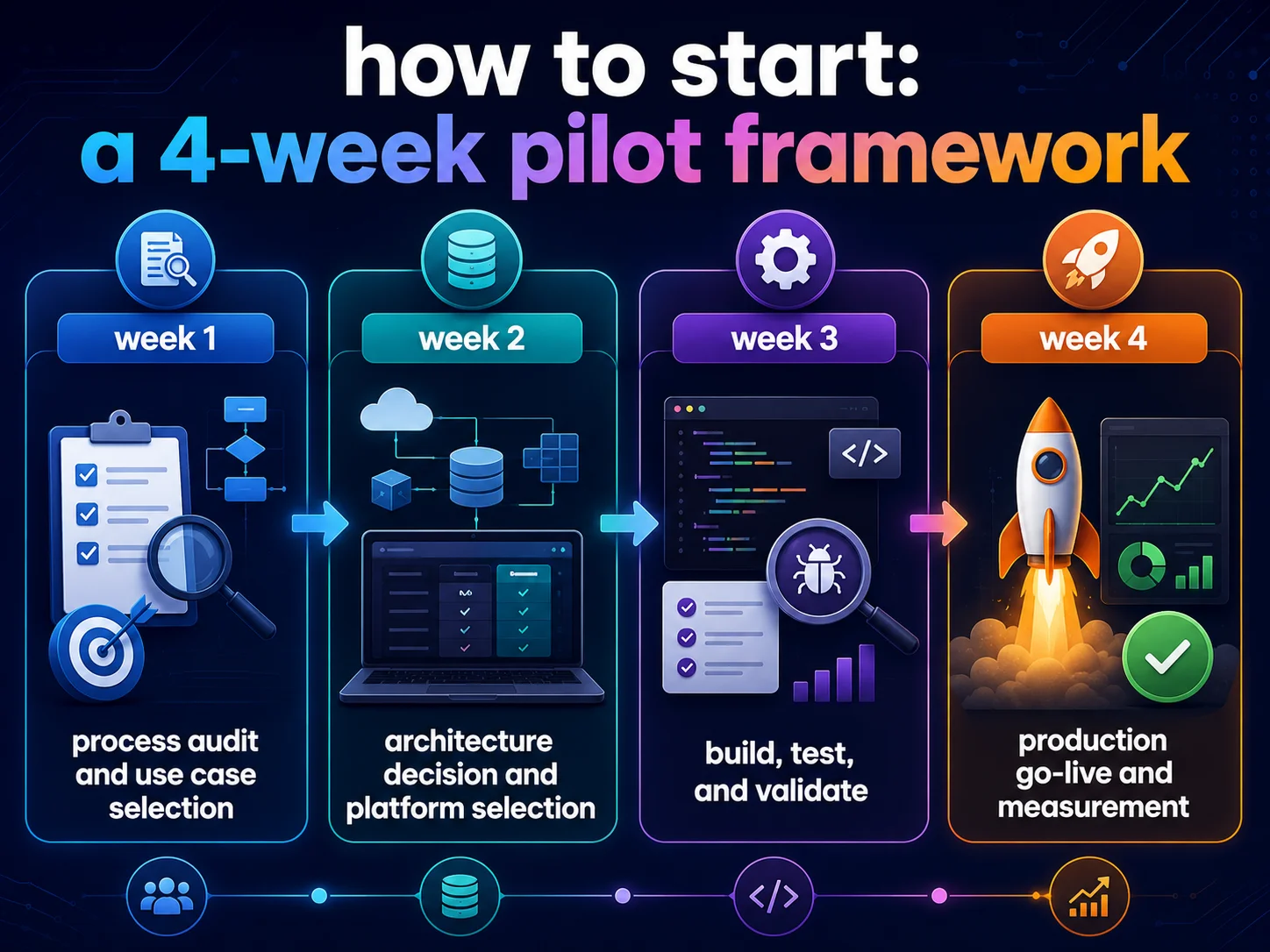
Week 1: Process Audit and Use Case Selection
Map the three highest-volume, highest-manual-effort processes in your target department. Score each on: volume per week, average handling time, error rate, exception frequency, and compliance sensitivity.
Select the one with the best combination of high volume and low exception rate for your pilot. The goal is a win you can measure and show within four weeks.
Week 2: Architecture Decision and Platform Selection
Decide: off-the-shelf RPA, no-code AI agent platform, or custom development. For standard processes with clear inputs and outputs, a no-code platform with pre-built templates gives the fastest time to first demo. For compliance-sensitive or complex integration requirements, custom architecture planning starts here.
Week 3: Build, Test, and Validate
Build the automated workflow on the selected platform or in custom development. Test with real production data, anonymized where compliance requires. Measure accuracy, exception rate, and processing time against your manual baseline. Adjust routing logic and exception handling until the numbers support a go-live decision.
Week 4: Production Go-Live and Measurement
Deploy to production with a fallback to manual handling for exceptions above a defined threshold. Monitor KPIs daily for the first two weeks. Document the performance delta against baseline. Use these numbers as the ROI evidence for your expansion roadmap.
From week four, the 30-60-90 day expansion plan identifies the next two processes for automation, begins architecture work for more complex use cases, and defines the governance model for enterprise-wide rollout.
Conclusion
Enterprise workflow automation in 2026 is not a point solution. It is a program – one that combines AI agent technology, integration engineering, change management, and compliance architecture. The organizations that move fastest are those that start with one high-volume, well-scoped process and use the first pilot’s results to fund and justify the next.
AHT Tech delivers end-to-end AI workflow automation for mid-market and enterprise clients across BFSI, healthcare, manufacturing, and retail. We deploy 500+ pre-built agent templates via our AI Hive platform, with multi-LLM orchestration and compliance-first deployment for GDPR, HIPAA, SOC 2, and Vietnam AI Law environments.
| Let’s book a call meeting about Workflow Automation Audit with AHT Tech. We identify your top three ROI opportunities and model the expected impact before any development begins. |
FAQs
What is the difference between RPA and AI workflow automation?
RPA automates rule-based tasks on structured data following fixed steps. AI workflow automation handles unstructured inputs, judgment-dependent decisions, and dynamic process flows using LLM reasoning. Most enterprises use both: RPA for structured, high-volume backbone processes; AI agents for exceptions, unstructured documents, and complex decisions.
How long does it take to automate a business workflow?
A well-scoped single workflow takes 3–6 weeks using pre-built templates. Custom development for complex multi-system workflows takes 8–16 weeks. Enterprise-wide automation programs run 6–18 months depending on the number of processes and integration complexity.
What is the ROI of enterprise workflow automation?
Production benchmarks show 50–70% operational cost reduction on automated processes, 2–3 hours per employee per day recovered, and near-zero error rates on standardized workflows. Well-scoped pilots consistently deliver measurable ROI within 30–90 days of launch.
Can workflow automation work with legacy systems?
Yes. Modern platforms connect to legacy systems via API wrappers, database connectors, and screen-scraping adapters for systems with no API. Integration complexity varies by system age and architecture. A data engineering assessment before automation design prevents mid-project surprises.
Which industries benefit most from AI workflow automation?
BFSI, healthcare, manufacturing, and retail consistently show the highest ROI because they combine high transaction volume, high manual handling time, and complex compliance requirements – the exact profile where AI-native automation delivers its largest impact.