


AI Workflow Automation: A Practical Guide for 2026

TABLE OF CONTENT
What Is AI Workflow Automation?
Rule-Based vs AI vs Agentic Workflow Automation
AI Workflow Automation Use Cases by Function
How to Choose AI Workflow Automation Tools
How to Implement AI Workflow Automation in 6 Steps
When an AI Workflow Automation Services Partner Makes Sense
Conclusion
AI workflow automation is moving from pilot projects into daily operations, yet many teams still automate the wrong steps first. They connect a language model to a messy process, watch it work in a demo, and then see it stall on real exceptions. This guide explains how AI workflow automation works, where it pays off, and how to roll it out without losing control.
Key Takeaways
- AI workflow automation adds judgment to automated processes, so it can handle unstructured inputs such as emails, invoices and support tickets that rule-based tools reject.
- Adoption is broad but shallow. McKinsey’s State of AI 2025 survey found that 88% of organizations use AI in at least one business function, while only 23% are scaling AI agents anywhere in the enterprise.
- Gartner expects over 40% of agentic AI projects to be canceled by the end of 2027, mostly because of rising costs, unclear value and weak risk controls.
- The best first candidates are high-volume workflows with clear outcomes and an affordable cost of error.
- Human checkpoints, audit logs and spending limits belong in the design from day one, not after go-live.
- Tool choice matters less than process mapping. A clean workflow on a simple tool beats a messy workflow on an advanced platform.
What Is AI Workflow Automation?
AI workflow automation uses artificial intelligence, usually large language models (LLMs) and machine learning (ML), to run multi-step business processes that once required a person to read, decide, or write. It combines the triggers and integrations of classic workflow automation with an AI layer that interprets content and chooses the next step.
Traditional automation follows fixed rules. If an invoice arrives in the right format, the system posts it. If anything looks different, the job lands in someone’s inbox. AI workflow automation can read the unusual invoice, extract the fields, compare them against the purchase order and flag only the real mismatch for review.
That difference matters because most business work isn’t perfectly structured. Customer requests come in free text, contracts follow different templates, and supplier emails mix questions with attachments. In practice, this is where rule-based automation stops and AI starts to add value.

How Does AI Workflow Automation Work?
AI workflow automation works by chaining six stages: a trigger starts the flow, connectors gather context, an AI model interprets the input, the system takes an action, a human checks high-risk outputs, and every step is logged. Each stage can be simple on its own. The value comes from connecting them reliably.
- Trigger: A new email, form, ticket, file upload or database change starts the workflow.
- Context gathering: Connectors pull the data the AI needs, such as customer history from the CRM or order details from the ERP.
- AI interpretation: The model classifies the request, extracts fields, summarizes content or drafts a response.
- Action: The workflow updates a record, routes a case, sends a message or calls another system’s API.
- Human checkpoint: A reviewer approves outputs where a mistake would cost money, trust or compliance.
- Logging and feedback: The system records inputs, outputs and decisions, so the team can audit results and improve prompts or rules.
As a result, the AI model is only one part of the system. Most failures we see come from stages two and four, where data is incomplete or the target system rejects the update.
Rule-Based vs AI vs Agentic Workflow Automation
Rule-based automation, AI workflow automation and agentic AI workflow automation sit on a spectrum of autonomy. The right choice depends on how predictable the process is and how much risk you can accept.
|
Aspect |
Rule-based automation | AI workflow automation |
Agentic workflow automation |
|---|---|---|---|
| Input type | Structured data in fixed formats | Structured and unstructured data | Goals and open-ended tasks |
| Decision logic | If/then rules written by people | AI model decides within a fixed flow | AI agent plans its own steps and tool calls |
| Handling exceptions | Sends them to a person | Resolves common variations, escalates the rest | Tries alternative paths before escalating |
| Best fit | Stable, repetitive tasks | High-volume tasks with variable inputs | Multi-system tasks with clear guardrails |
| Main risk | Breaks when formats change | Wrong extraction or classification | Unpredictable actions and cost overruns |
To put this in perspective, most companies don’t need fully autonomous agents on day one. A fixed workflow with an AI step in the middle often delivers most of the value with far less risk. AI agent workflow automation makes sense once the process is mapped, measured and stable.
AI Workflow Automation Use Cases by Function
AI workflow automation delivers the fastest returns in functions that handle large volumes of documents, messages or requests. The examples below are the ones we see most often in enterprise projects.
Finance and accounting
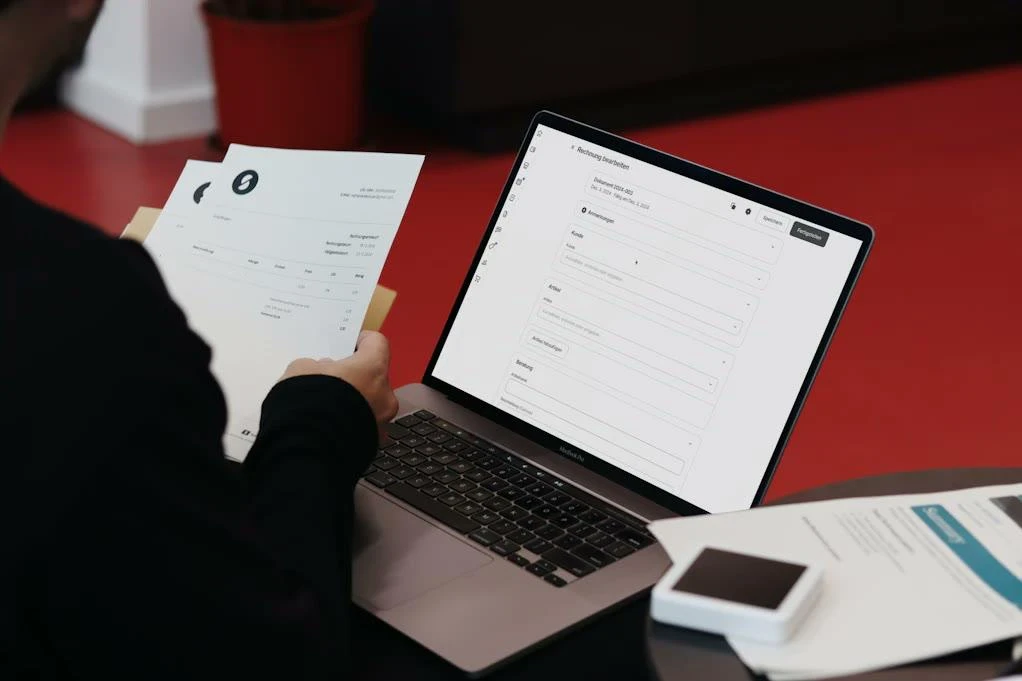
Accounts payable teams use AI to read invoices in any format, match them to purchase orders and goods receipts, and route exceptions to the right approver. Month-end close also benefits, as AI can reconcile transactions and draft variance explanations for review.
Customer service
AI classifies incoming tickets by intent and urgency, pulls order data, drafts replies and escalates sensitive cases. The aim isn’t to remove agents. Instead, it gives them a ready summary and a suggested answer, so they resolve more cases per hour.
HR and internal operations
Onboarding is a strong candidate because it touches many systems. An AI workflow can collect documents, check them for completeness, create accounts and schedule training, while HR approves only the final package.
eCommerce and retail operations
Retail teams automate product data enrichment, review moderation, return requests and supplier communication. For example, AI can turn a supplier spreadsheet into clean product descriptions that follow your catalog rules.
Logistics and supply chain
Logistics companies use AI to read shipping documents, update order status from carrier emails and alert planners about delays before customers notice.
How to Choose AI Workflow Automation Tools
AI workflow automation tools fall into three groups: no-code automation platforms, enterprise integration and process platforms, and AI agent platforms. The best fit depends on your process complexity, data sensitivity, and in-house skills, not feature lists.
- No-code and low-code automation platforms such as Zapier, Make and n8n suit teams that want quick wins across SaaS apps. They’re fast to set up but can become hard to govern once hundreds of flows exist.
- Enterprise integration and process platforms such as Microsoft Power Automate, UiPath and Workato fit companies that need role-based access, audit trails and connections to ERP or legacy systems.
- AI agent platforms and custom builds suit complex, multi-system processes or strict data rules, for example when data must stay on-premise or inside a private cloud.
Before you compare vendors, check five criteria as below:
- Connectors to the systems your workflow actually touches, including older internal tools.
- Data residency options and how the vendor handles your data during model calls.
- Human-in-the-loop features such as approval steps, confidence thresholds and override logs.
- Monitoring and cost controls per workflow, not only per account.
- Model flexibility, so you can switch AI models without rebuilding every flow.
How to Implement AI Workflow Automation in 6 Steps
A successful rollout follows a simple order: map the process, prove value on a small scope, and only then scale. Skipping the first two steps is the most common reason pilots never reach production.
- Map the current process. Document every step, system, exception and handoff as it works today, not as the policy says it should.
- Pick one high-volume workflow. Choose a process with clear success criteria and a manageable cost of error, such as invoice intake or ticket triage.
- Define “done” and the baseline. Measure current cycle time, error rate and cost per case, so you can prove impact later.
- Prepare the data and integrations. Confirm API access, data quality and permissions before you write a single prompt.
- Run in shadow mode. Let the AI process real cases in parallel with your team for two to four weeks and compare results.
- Go live with checkpoints, then expand. Start with human approval on high-risk steps, loosen it as accuracy holds, and reuse the same components for the next workflow.
In our experience working with banking clients, the groundwork in step one often takes longer than the AI work itself. When our team digitized internal approval processes for MB Bank and LPBank, most of the effort went into structured routing, permission hierarchies and alignment with existing core systems. That foundation is exactly what an AI layer needs to run safely.
AI Workflow Automation Governance, Risks and Hidden Costs
AI workflow automation governance means setting clear rules for what each workflow may access, decide and change, and keeping evidence of what it did. Without it, a fast workflow can repeat the same mistake thousands of times before anyone notices.
Gartner’s June 2025 forecast is a useful warning. The firm predicts that over 40% of agentic AI projects will be canceled by the end of 2027 because of escalating costs, unclear business value or inadequate risk controls. Gartner also estimates that only about 130 of the thousands of vendors claiming agentic capabilities actually offer them. In other words, the risk isn’t only technical. It’s also about buying the right thing and measuring it honestly.
Watch for these risks and costs:
- Wrong outputs at scale: A small extraction error repeated across thousands of documents becomes a financial problem. Sampling and confidence thresholds catch this early.
- Data exposure: Sensitive customer or employee data may flow into third-party models. Masking, access control and data residency settings reduce this risk.
- Model and usage costs: Token costs grow with volume and with longer prompts. Set a budget per workflow and route simple steps to smaller, cheaper models.
- Silent drift: Upstream systems change formats, and accuracy drops quietly. Weekly quality checks keep this visible.
- Ownership gaps: Every workflow needs a named business owner who approves changes and answers for results.
This is why governance should be part of the first design workshop. It’s much cheaper to add an approval step at the start than to rebuild trust after a visible error.
When an AI Workflow Automation Services Partner Makes Sense
An AI workflow automation services partner makes sense when your processes span several core systems, your data has strict compliance rules, or your team lacks the integration and AI engineering skills to move beyond pilots. For simple SaaS-to-SaaS flows, an internal team with a no-code tool is often enough.
A partner adds the most value in three situations.
First, when the workflow touches ERP, core banking or other legacy systems that need custom integration.
Second, when you operate in regulated industries such as banking, healthcare or insurance, where audit trails and data residency are mandatory.
Third, when you need to scale from one workflow to many with shared components, monitoring and cost control.
AHT Tech has built enterprise software for more than 19 years, and our AI workflow automation services cover process assessment, integration, AI development and ongoing monitoring. Whether you work with us or build internally, ask any partner to show how they handle exceptions, logging and rollback, not just the happy path in a demo.
Conclusion
AI workflow automation pays off when it targets a clear, high-volume process, rests on clean data and keeps people in control of risky decisions. Start small, prove the numbers in shadow mode, and scale only what works. If you’re planning your first or next automated workflow and want a second opinion on scope, governance or integration, talk to our team! A well-designed AI workflow automation program turns pilots into lasting operational gains.
FAQs
What is the difference between AI workflow automation and RPA?
RPA (robotic process automation) copies human clicks and keystrokes to move structured data between systems, following fixed rules. AI workflow automation adds the ability to read unstructured content, make judgment calls and handle variations. Many companies combine both, using RPA for stable legacy screens and AI for interpretation.
Is AI workflow automation suitable for small businesses?
Yes, AI workflow automation works for small businesses when the process is simple and the tools are affordable. No-code platforms with built-in AI steps can automate lead intake, support replies or invoice capture within days. The key is to start with one repetitive task and measure the time saved.
How long does it take to implement AI workflow automation?
A single, well-mapped workflow usually takes four to eight weeks from discovery to production, including a shadow-mode test. Projects that involve legacy systems, strict compliance or many departments take longer. Most of the timeline goes into process mapping, integration and testing rather than the AI model itself.
How do you measure the ROI of AI workflow automation?
Measure the baseline before launch, then track cycle time, cost per case, error rate and the share of cases handled without human touch. Add business outcomes such as faster cash collection or higher customer satisfaction. Compare these results against the full cost, including licenses, model usage, integration and ongoing monitoring.